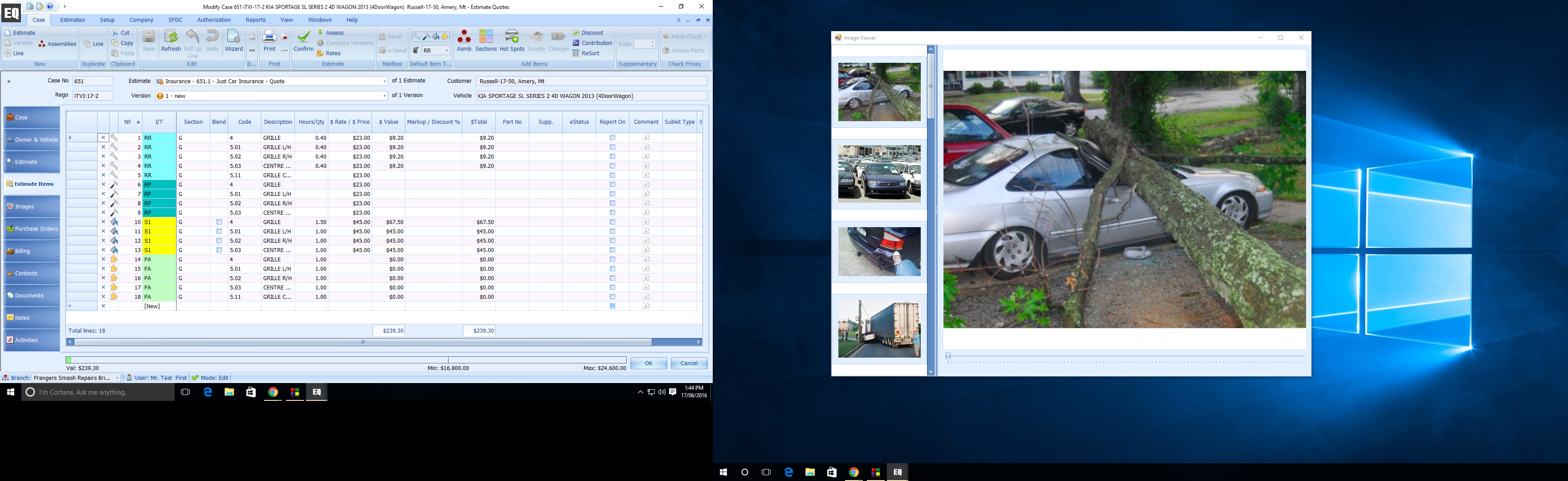
EQ Image Viewer lets you open images in a separate window that will always say open on top of EQ main screen. If you have two monitors you can drag the Image Viewer onto a separtae monitor, so you can have images visible on one monitor while you work on the estimate on the other screen
To Open the Image Viewer
Double click on the main image on the Images Tab

A new Image Viewer Window will open on top of main EQ program screen.

This Image Viewer window cannow be dragged onto another monitor, while you continue using other tabs of the main EQ screen