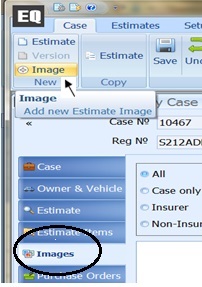
Within the required case select the Images Tab then
+ Image
Navigate to the location where the images are transferred when importing from the camera.
Screenshot below shows images location as Local Disc (C:) and folder name PPG Images
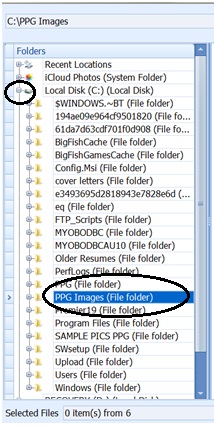
Once folder (eg. PPG Images) is selected, images can be viewed to the right. Select one with a single click of the mouse or multiple using CTRL key and mouse simultaneously.
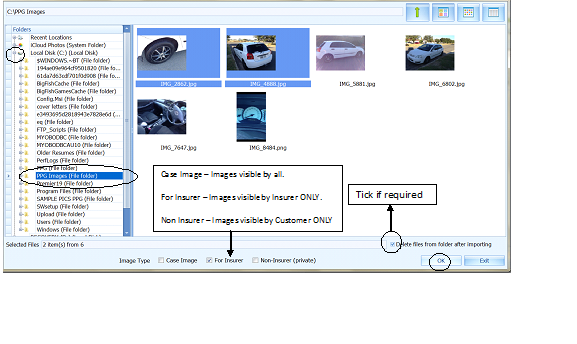
Select OK and Images will load to the case.
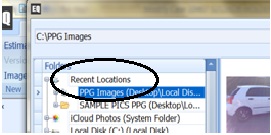
Note: *** Once Images have been loaded, the path then becomes a "Recent Location" displayed at the very top of screen. This option can now be used rather than having to locate the folder each time.***